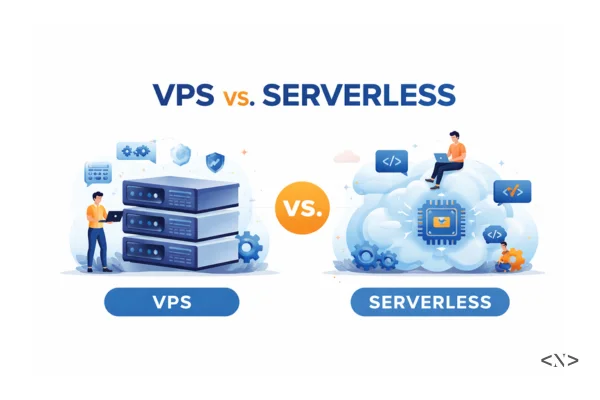
VPS vs. Serverless: Which Should You Choose for Your Next Project in 2026?
In my previous guide on the Cloud Computing Roadmap for 2026, we talked about how "shipping" is what separates hobbyists from pros. But once you're ready to move beyond localhost, you hit a fork in the road:
Do you set up a Virtual Private Server (VPS), or do you go Serverless?
In 2026, the marketing for both is aggressive. VPS providers promise "total control and fixed costs," while serverless platforms like Vercel or AWS Lambda promise "zero maintenance and infinite scale." But as we learned in our guide on how developers actually use the cloud, reality is rarely as simple as the sales page.
Let’s look under the hood.
What Is a VPS? (The "Always-On" Apartment)
A Virtual Private Server (VPS) is like renting a private apartment in a large building. You have your own dedicated resources (CPU, RAM, Disk), and you are responsible for everything inside those four walls.
How It Works
A physical server is split into multiple virtual instances using a "hypervisor." When you buy a VPS from providers like DigitalOcean, Linode, or Hetzner, you get root access. This means you own the Operating System (usually Linux). You can install any database version, set up custom security firewalls, and run long-lived processes like WebSockets or background cron jobs that never stop.
The Good (Pros)
- Predictable Costs: You pay a flat monthly fee (e.g., $6/month). Whether 10 people or 1,000 people visit your site, the price stays the same until the hardware hits its limit.
- Total Control: Need a specific version of PostgreSQL or a custom C++ library for image processing? You can install it.
- No Cold Starts: Your app is "always on." There is zero delay when a user visits your site because the server is already running the code in memory.
The Bad (Cons)
- Maintenance Burden: You are the janitor. You must handle OS security patches, SSL renewals, and backups.
- Manual Scaling: If your app goes viral, the server might crash. You have to manually "resize" the instance to add more RAM or CPU, which often involves a few minutes of downtime.
What Is Serverless? (The "On-Demand" Uber)
Serverless (often called Function-as-a-Service or FaaS) is like calling an Uber. You don't own the car, you don't maintain the engine, and you only pay for the distance you travel.
How It Works
You don't "rent" a server. Instead, you upload your code (functions) to a provider like AWS Lambda, Vercel, or Netlify. The code sits idle until an "event" (like an API request) triggers it. The provider spins up a tiny container, runs your code, sends the result, and then kills the container immediately.
The Good (Pros)
- Zero Management: No OS to update. No SSH-ing into servers at 3 AM. You focus 100% on the code.
- Infinite Scaling: If 10,000 people hit your site at once, the provider just spins up 10,000 tiny instances of your code instantly.
- Pay-per-Use: If nobody visits your site, you pay $0. This is perfect for side projects or early-stage startups.
The Bad (Cons)
- Cold Starts: If a function hasn't been used in a while, the first user might wait an extra 500ms for the "container" to wake up.
- Vendor Lock-in: Moving your serverless code from AWS to Azure is much harder than moving a VPS, as you often rely on provider-specific tools.
- The "Surprise" Bill: While it’s cheap for low traffic, a viral moment can lead to a massive, unexpected bill because you pay for every single millisecond of execution.
Deep Dive: Key Differences in 2026
1. Performance and "Cold Starts"
On a VPS, your code is already in RAM. Response times are consistent. On Serverless, if your code is "cold," the provider has to pull your code and start a runtime (like Node.js). In 2026, "Edge Functions" have made this faster, but for heavy backend tasks, the delay is still there.
2. State Management
A VPS is "stateful." You can save a file to the local disk, and it will be there an hour later. Serverless is "stateless." Once the function finishes, the local disk is wiped. To save data, you must use an external database or cloud storage.
3. Long-Running Tasks
VPS handles long tasks (like video encoding or WebSockets) easily. Serverless usually has a timeout (often 10–30 seconds). If your task takes longer, the provider kills the process.
Which One Should You Choose?
Choose a VPS if:
- You have steady, predictable traffic: If your app has 5,000 users every day, a $10 VPS is almost always cheaper than serverless.
- You need WebSockets: Real-time chat apps or live dashboards need a persistent connection.
- You want to learn Linux: As we discussed in the Web Developer Career Guide, knowing your way around a terminal is a massive career advantage. Check out our deployment guide for hands-on setup instructions.
Choose Serverless if:
- You’re launching a "bursty" project: If you're building a tool for an event (like a conference) where traffic hits zero for months and then spikes for two days.
- You want to move FAST: If you have zero interest in DevOps and just want to write JavaScript and ship.
- Microservices: If you want to break your app into small, independent pieces that scale separately. Learn more about microservices architecture and when to use them.
The Hybrid Reality (The Pro Choice)
In 2026, most experienced developers don't choose just one. They use a Hybrid Model:
- VPS: Hosts the main "brain" of the app and the database.
- Serverless: Handles "side tasks" like sending emails, resizing uploaded images, or running scheduled reports.
By combining both, you get the cost-efficiency of a VPS with the scaling power of Serverless. This approach is particularly effective when dealing with database optimization challenges.
Final Thoughts
Infrastructure is a tool, not a religion. Don't get paralyzed by the choice.
If you are a beginner, start with Serverless (Vercel/Netlify) to experience the joy of shipping. Once you feel comfortable, buy a cheap VPS and try to set up Nginx and a database manually. That "under the hood" knowledge is what will eventually lead you to a senior developer role.
For more guidance on choosing your development path, check out our Frontend vs Backend guide.
Happy Coding!