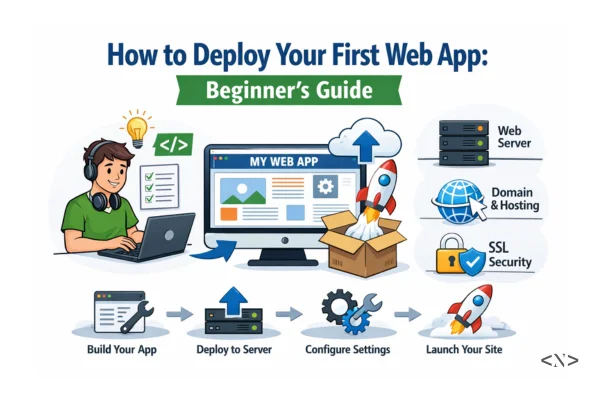
How to Deploy Your First Web App: Complete Beginner Guide
You've finally built something cool — maybe a React portfolio, a Next.js blog, a todo app, or even a simple static site with HTML, CSS, and JavaScript.
Now comes the most exciting part: making it live so anyone in the world can visit it.
In this complete beginner guide, I'll walk you through exactly how to deploy your first web app for free, step by step — no prior experience needed.
New to web development? Start with our HTML, CSS, and JavaScript roadmap or Want to Start a Career as a Web Developer.
Why Deploying Your First App Is a Game-Changer
- Show your work in job applications and portfolios
- Get real feedback from actual users
- Learn production workflows early
- Enjoy free global hosting, automatic HTTPS, and scaling
Best part? You can do all of this completely for free with modern platforms.
Step-by-Step: Deploy Your First Web App (Free)
Phase 1: Prepare Your Project (30–60 Minutes)
-
Push your code to GitHub (free forever)
1git init
2git add .
3git commit -m "Initial commit"
4git remote add origin https://github.com/yourusername/your-repo-name.git
5git branch -M main
6git push -u origin main
7
8
Test production build locally
- React / Vite:
npm run build→npm run preview - Next.js:
npm run build→npm run start
Add .env variables (if your app uses API keys or database URLs) → Never commit .env files (add to .gitignore)
Clean up
- Remove
console.log() - Check mobile responsiveness
- Fix any obvious bugs
If your app needs a database, check our Database Roadmap for Web Developers.
Phase 2: Choose the Best Free Deployment Platform
| Platform | Best For | Free Tier Limits | Ease of Use |
|---|---|---|---|
| Vercel | Next.js, React, full-stack apps | Unlimited sites, generous bandwidth | ★★★★★ |
| Netlify | Static sites, Jamstack, forms | 100 GB bandwidth / month | ★★★★★ |
| GitHub Pages | Pure static HTML/CSS/JS sites | Unlimited for public repos | ★★★★☆ |
| Cloudflare Pages | Static + Workers (functions) | Unlimited sites | ★★★★☆ |
| Render | Full-stack (Node.js + database) | Free tier with limits | ★★★★☆ |
Recommendation for most beginners:
- Using Next.js or React → Vercel (easiest & fastest)
- Static site only → Netlify or GitHub Pages
Phase 3: Deploy in Under 5 Minutes (Vercel Example)
- Go to → https://vercel.com
- Sign up (GitHub login is fastest)
- Click New Project → Import Git Repository
- Select your GitHub repo
- Vercel auto-detects framework (Next.js, React, etc.)
- Add environment variables (if any) in the dashboard
- Click Deploy
→ Done!
Your app is live at: https://your-app-name.vercel.app
Netlify works almost the same way: → https://netlify.com → New site from Git → connect GitHub → deploy.
Every time you push to GitHub → your app automatically updates!
Phase 4: Make It Professional
- Custom domain (optional but looks pro)
- Buy from Namecheap (~$10–12/year) → add DNS records in Vercel/Netlify
- HTTPS → Automatic on all platforms
- Analytics → Add Google Analytics or use built-in dashboard
- Custom 404 page → Nice touch for users
Project idea: Deploy the todo app or blog from our Frontend vs Backend Development guide.
Phase 5: Common Beginner Mistakes to Avoid
- Committing .env files (huge security risk)
- Not testing production build locally
- Ignoring bandwidth limits on free tiers
- Forgetting to add .gitignore for node_modules
High-Search Keywords to Use in Your Portfolio / Blog
- how to deploy react app for free
- deploy next.js app vercel
- free hosting for react app
- how to host website for free
- deploy first web app beginner
- vercel vs netlify 2024
- deploy static website github pages
Final Thoughts
Deploying your first app is one of the best feelings in web development.
Pick Vercel or Netlify this weekend, push your project, and share the live link with friends or on LinkedIn.
Next step? Add real data persistence — check our Types of Databases and How to Choose the Right Database guides.
What will be your first deployed project? Portfolio? Todo app? Blog? Drop it in the comments — I'd love to see it live!
If this guide helped you, share it with another beginner.
Happy deploying!